

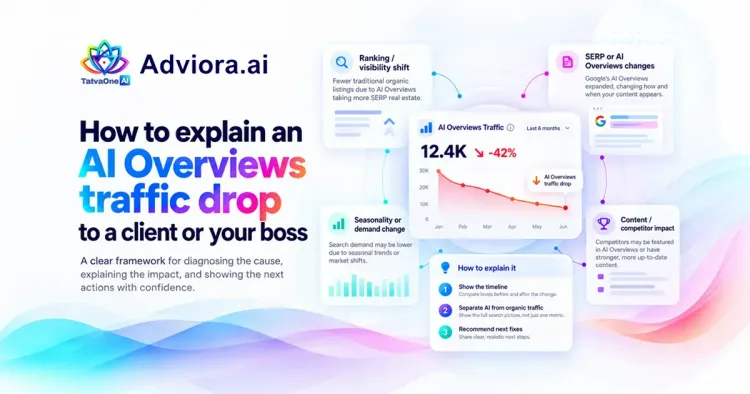
Why clients panic about a traffic drop
Most of the time clients will come to you after seeing a drop in their GA4. Their organic sessions have dropped by a third. The first thing they'll ask is "what's broken?" Often nothing has broken. Your pages are still ranked the same. What has changed is that Google will now show an AI generated answer above your page. For many simple queries this will answer the users question and they will stop scrolling down.
Your task is to explain what has changed, what has stayed the same and what this means for business. Once clients can see the data split into two they will quickly calm down. Vague mentions of algorithm updates will do the opposite.
3 signs that you’re seeing AI Overviews
You need to be seeing:
- Impression rates are static or rising. David M. described this perfectly on LinkedIn: "Impressions are static. Clicks are falling."
- CTR is falling for these queries.
- Loss is mainly in informational queries. Jenna Stenderup described it as being "heavy in informational searches. Commercial and brand queries are often unaffected".
If your average position has also fallen, then there’s an issue with rankings. This will show using the method below. Note that the clicks on your AI features will be included in your normal Web report in Search Console. You’ll not be able to see a breakdown of traffic from AI overviews.
The control-group method, step by step
A great example of this came up in an r/SEO thread in October 2026 for explaining traffic loss. This can be used as essentially you’re comparing your site to itself and therefore the brand strength and industry will be the same.
Export your queries from Google Search Console. Split them into 2 equal sets. One before and after the traffic drop.
Tag each query with whether they have an AI Overview result from Google. This can’t be done in Search Console. You’ll need to use a SERP tool which tracks whether a query has an AI Overview.
Compare the results between the two groups. Clicks, impressions and CTR.
If you see a big drop in clicks for the AI Overview queries but a similar position then you’ve got your proof!
However, there are a few things to be careful of here. Seasonality can cause a drop in clicks. A change in search demand could also cause this. As well as changes on site. Make sure these are ruled out first and note down what you’ve checked.
A worked example
The numbers below are illustrative. They follow the pattern practitioners have described, and you should swap in your own export. Picture a mid-sized home services company comparing August with October.
| Query group | Queries | Clicks (Aug) | Clicks (Oct) | Change | Avg position |
| With an AI Overview | 142 | 4,180 | 2,630 | -37% | 4.1 to 4.0 |
| Without an AI Overview | 96 | 2,950 | 2,830 | -4% | 5.3 to 5.2 |
Impressions for the AI Overview group went from 118,400 to 121,900. So the pages were seen slightly more often, not less. But CTR for that group fell from 3.5% to 2.2%, and that's where almost all of the lost clicks came from.
Look at the queries inside each group and the story gets clearer. "What causes damp walls" is informational and shows an AI Overview. Its clicks fell hard. "Waterproofing contractor near me" shows no AI Overview, and its clicks barely moved.
Check enquiries, not just visits
A drop in visits is not automatically a drop in business. Compare enquiries, sign-ups and sales for the same two periods.
In the example above, form enquiries went from 61 to 58. That's a drop of about 5%, while clicks on the AI Overview queries fell by more than a third. Most of the lost clicks came from people who wanted a quick answer, got it from Google, and were never likely to pick up the phone and call. That's a very different message from "the website is failing".
If enquiries fell too, find out which queries used to bring them in. Read your GA4 lead events next to the Search Console data. Our guide on tracking AI referrals in GA4 walks through the setup.
What to put in the client report
Here's a paragraph you can adapt. Fill the blanks with your own numbers.
Between [period A] and [period B], impressions for informational queries were [flat / up X%] while clicks fell [Y%]. For queries where Google shows an AI Overview, clicks fell [Z%]. For queries without one, they fell [W%]. Average position was [unchanged]. Enquiries over the same period were [up / flat / down V%]. We checked seasonality and site changes and found [nothing / the following]. We recommend [next step].
Don't claim more than the data shows. "Consistent with AI Overviews answering informational searches" is accurate. "AI Overviews caused this" is something you can't prove from one account.
How to say it in the meeting
Impressions increased from 118,400 to 121,900, meaning we saw our pages a little more. However, CTR reduced from 3.5% down to 2.2% and this is where our clicks have dropped.
Looking into the individual queries within each group we can see some more context. Queries such as ‘what causes damp walls’ are high intent queries that show the AI Overview and suffered heavily from losing clicks. However, searches such as ‘waterproofing contractor near me’ didn’t show the AI Overview and only had minimal impact on clicks.
Don’t assume fewer visits means less business
Whilst form enquiries reduced from 61 to 58 (-5%), the AI overview queries reduced much more (>30%). The majority of clicks that were lost were people who would have just wanted a quick answer from Google, meaning they were never likely to give us a call. This is very different to saying the website is underperforming.
If you see your enquiries reducing then you should look into which queries are causing this. Next to your GA4 lead events look at your Search Console data. We have written a guide on how to track AI Referrals in GA4.
What to say
Get to the point. Start with the metric your client will care about, most likely leads/sales. "Google are now answering some basic questions for you so whilst your rankings stayed steady, you’re seeing fewer clicks. Enquiries are similar to last quarter. Here’s what we’re looking to focus on."
Show your 2 row table. One clear table can replace more than 10 slides.
Also, it can help to state things you’re not going to do. You shouldn’t promise you’ll get those clicks back next month as they may not come back and you’ll be in the same conversation in 3 months. Instead, agree what you’ll be monitoring going forward. This will usually be enquiries, commercial clicks and if your brand is appearing within the AI answers. If your client can see these 3 metrics moving in the right direction then they won’t be focusing on the session number which is now controlled by Google.
What to do
Focus some of your efforts on commercial queries. If someone is clicking on one of these queries then there is a good chance they want to buy or get a quote. Therefore this will still result in a conversion friendly visit.
Try to get cited within the AI Overview. Google have made it clear that for your page to be shown in the AI Overview it needs to be indexed and show as a snippet. There isn’t an extra file/schema to do. Just make sure you answer the question quickly, keep your pages to one subject per URL and ensure you’re being named on the third party pages that the AI engines are already citing. We have written some blog posts on zero click searches and query fan out.
Measure. Mentioned, cited, recommended and clicked are all different. Measure these. Adviora’s free trial and paid options include Google AI Overviews as one of the surfaces we look at for each product and market.
ChatGPT Referral Note (8-15th October 2026)
If you’re including any AI referral traffic in your report then you should note that between 8-15th October 2026 ChatGPT referrals came through without any UTM or referrer. Allen G. has reported on LinkedIn that GA4 was showing these as Direct. From 16th October they were tagged. So if you notice a dip in AI assistant sessions between these dates it could be a tracking issue.
Want to see how your site is doing? Use our free AI visibility checker. This will show you if your brand is being mentioned in AI answers and what to focus on first. This is a sample of our delivery. Choose our valuable Adviora pricing plan.